




A New Look for PowerBI Robots: What Changed in the UI and Why
 João Sousa··4 min read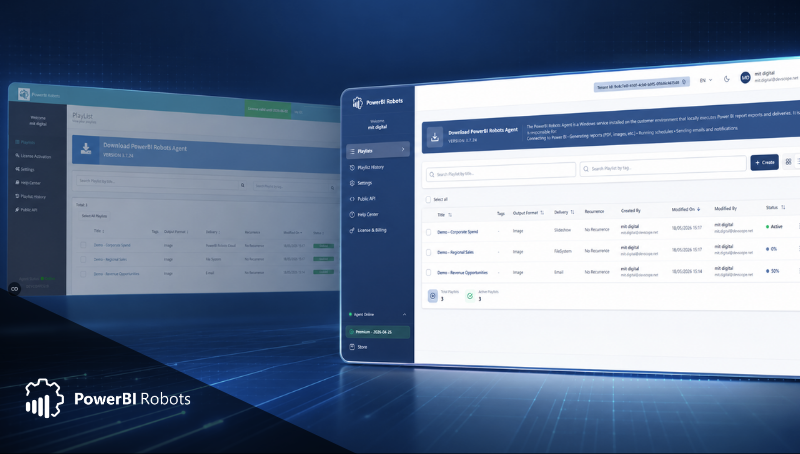
PowerBI Robots has a new look, but this update is about more than the interface.
The latest version introduces a refreshed UI and an updated technical foundation. Existing features continue to work as expected, but the application now runs on more up-to-date components and follows current security standards more closely.
That matters because PowerBI Robots is often used to automate the delivery of business-critical reports. Sales dashboards, financial reports, operational KPIs, customer updates, and management packs can all contain sensitive information. When report automation becomes part of daily business processes, security cannot be treated as an extra layer. It has to be part of the product.
At DevScope, security is a company-wide priority. DevScope is ISO 27001 certified, and that commitment influenced this release. The new interface gave us the opportunity to modernise the application while also updating the more technical components behind it.
This article explains what changed in the PowerBI Robots new interface, what stayed the same, and why this update matters.
Why PowerBI Robots has a new interface
A product interface affects how people work every day.
If users can quickly understand where they are, what they need to configure, and whether something is running correctly, they spend less time navigating the product and more time getting value from it.
The previous PowerBI Robots interface already supported the main workflows: creating playlists, adding recipients, selecting reports, applying filters, configuring schedules, using the PowerBI Robots Agent, and monitoring executions.
Those workflows are still available. The goal of this Power BI Robots update was not to change how the product works. The goal was to make the experience clearer, easier to maintain, and better aligned with the security expectations of our customers.
For existing users, the new version should feel familiar. For new users, it should be easier to understand from the first session.
What changed in the PowerBI Robots new interface
The most visible change is the redesigned UI.
The new PowerBI Robots interface uses a cleaner layout, clearer spacing, and more consistent screens across the product. This makes it easier to work with playlists, reports, recipients, schedules, and executions.
Playlist management is now easier to follow. A playlist still defines what reports are sent, who receives them, how information is filtered, and when the automation runs. The difference is that the new interface presents these steps in a clearer and more organised way.
Schedule configuration and execution monitoring are also easier to review. Users can more quickly confirm when a playlist is expected to run and check whether previous executions were successful.
Old Interface:
New Interface:
Old Interface:
New Interface:
What stayed the same
A redesign can create uncertainty for existing users. Nobody wants to open a product they use every week and discover that familiar workflows have disappeared.
That is not what happened here. The existing PowerBI Robots functionality continues to work. Users can still create playlists, configure schedules, add recipients, add reports, filter report information by recipient, use the PowerBI Robots Agent, and review playlist executions.
The update changes the interface around those workflows and updates the technical components behind the application.
In practical terms, current users should expect the product to feel familiar, but cleaner.
Why security was a key reason for this update
Although the new UI is the most visible part of the release, the technical update behind it is just as important.
PowerBI Robots handles report delivery workflows that may include sensitive business data. Even when reports are only sent to authorised recipients, the application responsible for automation must follow current security practices.
This release focused strongly on updating the technical components of the application. These changes support better maintainability and help ensure that PowerBI Robots remains aligned with modern security expectations.
DevScope's ISO 27001 certification reflects a structured approach to information security. That same approach is part of how we evolve PowerBI Robots.
Security is important for DevScope, and it is important for our customers.
Final thoughts
The new PowerBI Robots interface is not just a cosmetic change.
It improves the way users navigate the product, makes common workflows easier to review, and supports a broader technical update focused on security and maintainability.
Existing features continue to work, but the application now follows more recent standards and provides a cleaner experience for both new and existing users.
If you are already using PowerBI Robots, open the new version and review one of your playlists. If you are new to the product, start a PowerBI Robots trial and explore the updated interface.
You can also read the full launch overview: PowerBI Robots Just Got Smarter: New Interface, Onboarding, and AI Summaries.

Share this post: