



How to Share Power BI Reports with External Users Without Pro Licenses
 Alexandre Carreira··5 min read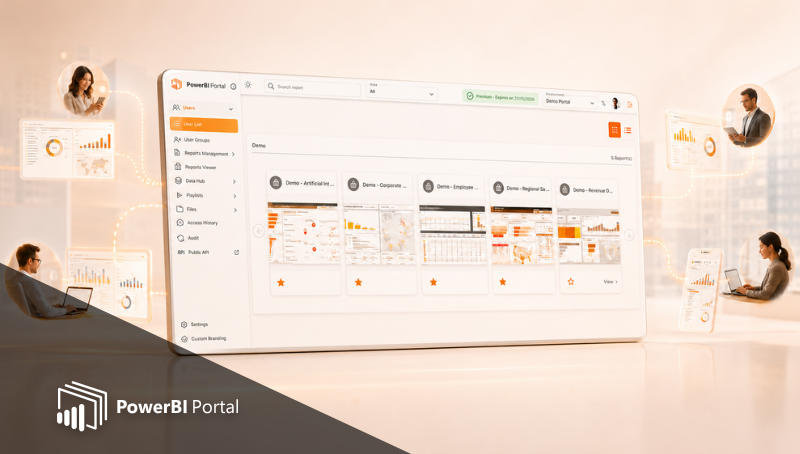
The Licence Problem Nobody Talks About
Sharing a Power BI report with someone inside your organisation is straightforward. Sharing it with a client, a supplier, or a partner is where most teams run into a wall.
The standard approach requires the external user to have a Power BI Pro licence. At roughly €10 per user per month, that adds up quickly. For a company sharing reports with 200 external contacts, that is €2,000 a month in licence costs for people who only need to read a report.
There are alternatives within the Microsoft ecosystem. Each has significant limitations. And there is a purpose-built option that solves the problem without those limitations.
The Three Native Microsoft Options
1. Guest Access via Azure AD B2B
You can invite external users as guests in your Azure Active Directory tenant. They receive access to the Power BI report as though they were internal users, within the limits of their permissions.
The problem: they still need a Power BI Pro licence, either their own or a licence assigned by you. They also need a Microsoft account, and they access the report through the Power BI interface, which is not designed for external audiences.
2. Publish to Web
Publish to Web makes a report publicly accessible via a URL. No login required, no licence required.
The problem: it is completely public. Anyone with the link can access the data. Row-Level Security does not apply. This is only appropriate for data you genuinely want to make public, such as open data or marketing content.
3. App Workspaces
Power BI Apps let you package and publish reports to a wider audience within your organisation. External users can be invited under certain configurations.
The problem: the experience is still the Power BI interface, licence requirements still apply, and control over branding and access is limited.
3. App Workspaces
Power BI Apps let you package and publish reports to a wider audience within your organisation. External users can be invited under certain configurations.
The problem: the experience is still the Power BI interface, licence requirements still apply, and control over branding and access is limited.
What PowerBI Portal Does Differently
PowerBI Portal is a separate layer that sits in front of your Power BI reports. External users access a portal, not Power BI directly.
They do not need a Power BI licence. They do not need a Microsoft account. They see only the reports and data they are authorised to see, because Row-Level Security is applied automatically based on their identity.
The portal can be branded with your logo, colours, and domain. To the external user, it looks like your product, not a Microsoft product.
You pay a flat fee for the portal, not a per-user licence. Whether you have 10 external users or 1,000, the cost does not change based on headcount.
How to Set It Up: The Core Steps
- Publish your reports to a Power BI workspace. Set up Row-Level Security if you need each user to see only their own data.
- Create a portal in PowerBI Portal and connect it to the workspace.
- Create areas within the portal and add the relevant reports to each area.
- Add your external users and assign them to the appropriate areas. Configure their RLS identity so they see only what they should.
- Set up the portal branding: logo, colours, and custom domain if required.
- Share the portal URL. External users click the link, log in with the credentials you have set up for them, and see their reports.
There is no installation on the user's side. No downloads, no accounts to create with Microsoft, no training required.
What External Users See
An external user accessing a PowerBI Portal sees a clean interface showing only the reports assigned to them. They can view, interact with, and export those reports within the permissions you have defined.
They do not see other clients' data. They do not see the Power BI interface. They do not know what tools are powering the portal unless you tell them.
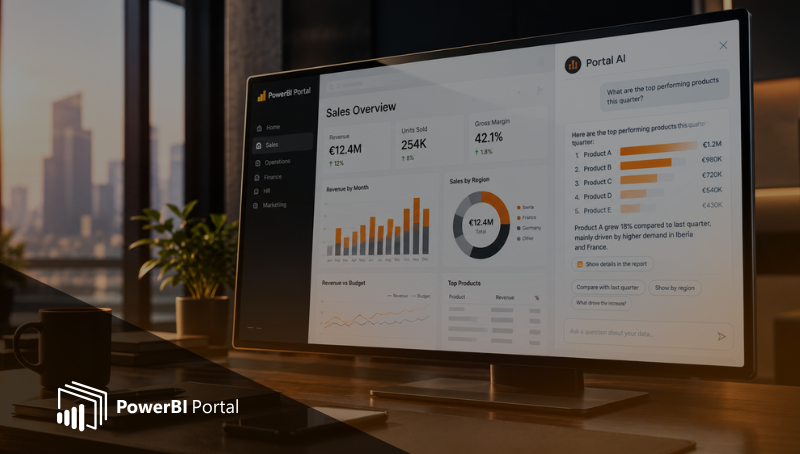
If Portal AI is enabled on the portal, they can also ask questions about their data in plain language and receive answers filtered by their access. A client asking 'How did my region perform this quarter?' will only see data for their region.
The Cost Comparison
To give a concrete sense of the difference, consider three scenarios:
| External Users | Power BI Pro (approx. €10/user) | PowerBI Portal |
| 50 users | €500 / month | Flat fee |
| 200 users | €2,000 / month | Flat fee |
| 500 users | €5,000 / month | Flat fee |
The break-even point varies depending on the Portal plan, but for most organisations sharing reports with more than a handful of external users, the economics of a flat licence become clear quickly.
Frequently Asked Questions
What if an external user already has a Pro licence?
They can still access the portal. Having a Pro licence does not affect the portal experience. You are not paying per user on the portal side regardless.
Can I mix internal and external users on the same portal?
Yes. Portals support both internal and external users. Access is controlled by what areas and reports each user is assigned to.
Is the data secure if there is no Microsoft account required?
Yes. Portal AI and Portal access are controlled by the credentials and RLS rules you configure. The absence of a Microsoft account requirement does not mean open access. Users authenticate against the portal's own credential system.
PowerBI Portal includes unlimited external users at a flat cost. To explore whether it fits your setup, start a free trial at here.

Share this post: