How to enable MFA (Multi-factor authentication) in PowerBI Portal
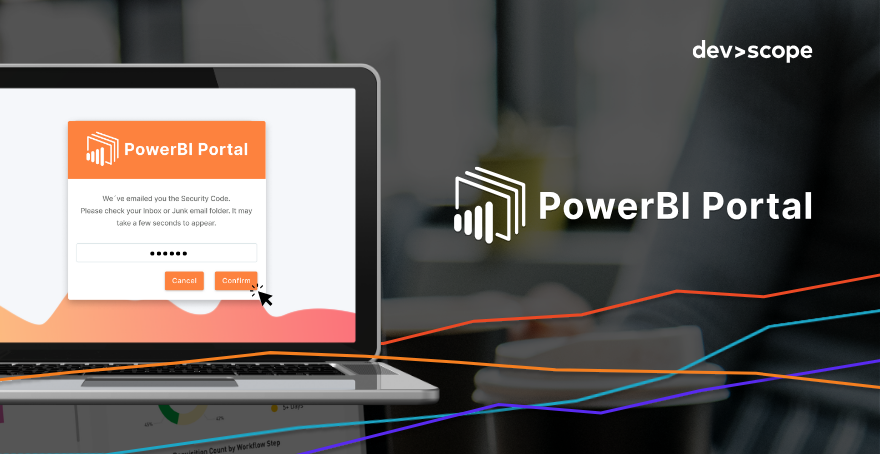
Table of Contents
New to PowerBI Portal? Click here to create an account and try it for free.
The latest update to PowerBI Portal introduced MFA (Multi-Factor Authentication) support for back-office access, a feature that adds an additional layer of security to the world's most powerful Power BI report-sharing platform.
Why you should enable MFA in PowerBI Portal
Thousands of cyber-attacks happen every day, with a company falling victim of a ransomware attack every 14 seconds on estimate. Enabling multi-factor authentication (MFA) is important for several reasons:
1- Enhanced Security: MFA adds a layer of security beyond just a username and password. By requiring multiple forms of authentication, such as something you know (password), something you have (like a smartphone or a security token), or something you are (like a fingerprint or facial recognition), MFA significantly reduces the risk of unauthorized access, even if passwords are compromised. In the case of PowerBI Portal, MFA falls under the second category, with a unique login token being generated and sent to the email address of the user trying to access the platform.
2- Mitigation of Password-Based Attacks: Passwords are inherently vulnerable to various attacks, including brute force attacks, phishing, and credential stuffing. MFA mitigates these risks by requiring a second form of authentication, making it much harder for attackers to gain unauthorized access, even if they manage to obtain the user's password. PowerBI Portal requires users to sign in with a Microsoft account, which requires an email address and password, thus vulnerable to password-based attacks.
3- Compliance Requirements: Many industries, especially those dealing with sensitive data like finance, healthcare, and government, are subject to regulatory requirements mandating the use of strong authentication mechanisms, including MFA, to protect sensitive information. Several PowerBI Portal clients operating in these industries can now count on our platform to stay compliant with their requirements.
4- Protection of Business Assets: With the increasing prevalence of cyber threats targeting individuals as well as organizations, implementing MFA can help safeguard from unauthorized access financial assets, and sensitive data, like the one in Power BI reports shared by so many companies using PowerBI Portal.
5- User Convenience: While it may seem like an additional step, MFA can enhance user experience by providing an extra layer of assurance and security.
How to enable MFA in PowerBI Portal
To enable MFA, just click Settings from the menu and go to the Environment tab. Pick Security Settings from the sub-menu and tick the "Enable Multifactor Authentication (MFA)" box.
When enabled, users trying to access your organization's PowerBI Portal's back-office will receive a code by email they must introduce to confirm their identity.
There's no time limit to enter the security code received by email.
If you run into any issues using PowerBI Portal's MFA feature, please contact us at support@devscope.net.
Share this post: