


Unlocking Business Insights with Embedded Power BI
 António Coelho··6 min read
Data is everywhere — but insight is rare. For organizations that want to turn raw information into actionable decisions, the ability to deliver analytics directly where users need them is becoming a strategic advantage. That's where embedded analytics comes in. By surfacing Power BI reports inside your own applications, websites, or portals, you can bring business intelligence into the flow of daily work.
What is Power BI Embedded?
Power BI Embedded is a Microsoft Azure service that allows you to integrate fully interactive Power BI reports and dashboards into custom environments. Users don't need to log into the Power BI Service or hold individual licenses — they simply experience the insights inside your application, customer portal, or website.
This is especially powerful when you need to share data with external stakeholders like clients, suppliers, or partners, without forcing them to switch tools or purchase licenses.
Why Embedded Analytics Matters
Accessibility without friction: Instead of asking users to navigate a separate platform, you deliver insights directly where they already are — a customer portal, an operations dashboard, or even a mobile app. This reduces barriers, accelerates decision-making, and extends the reach of your analytics.
Seamless integration: Developers have full control over the look and feel. You can build a fully branded experience that matches your organization's design standards and client-facing applications, ensuring analytics feels like part of the product, not an add-on.
Real-time insight: Power BI Embedded supports streaming datasets and automatic refreshes, meaning dashboards update the moment data changes. This is critical in industries like retail, logistics, or manufacturing where fast, informed responses drive results.
Security and Compliance Built In
For healthcare providers, financial institutions, and any organization working with sensitive information, security is non-negotiable. With row-level security, user authentication, and identity provider integration, you control exactly what each user sees — even in complex multi-tenant environments.
Unlike "Publish to Web," which is not secure for sensitive data, Power BI Embedded is designed with compliance and governance in mind.
A Cost Model That Fits Your Needs
Traditional Power BI sharing often requires Pro licenses for every user, which gets expensive quickly. Power BI Embedded flips the model. Instead of paying per user, you pay based on capacity usage.
- Start small with an A1 SKU and scale up as usage grows
- Turn capacity on or off dynamically, avoiding costs during idle time
- Deliver analytics to hundreds of occasional users at a fraction of the cost of per-user licensing
This flexibility makes it especially attractive for consultancies, SaaS companies, or enterprises with large client bases.
Live Reports vs Static Files: Choosing the Right Approach
Once you're delivering analytics through a portal, one of the most important and often overlooked decisions is how users actually consume data. Not every audience needs the same interactivity, and not every insight justifies the cost of a live Power BI session. The choice between live reports and static files directly affects performance, adoption, and capacity costs.
Live Power BI reports: powerful, but not always necessary
Live reports deliver the richest experience, users can filter, drill down, and explore in real time. For analysts and power users this is invaluable. But in client-facing scenarios they introduce trade-offs: every view consumes capacity, concurrent access can affect performance for everyone, some audiences feel overwhelmed by interactivity, and costs rise even when users only open a report briefly. In most client portals, only a small percentage of users truly need live dashboards.
Static files: fast, simple, cost-efficient
Static files such as PDFs or exported snapshots are often the most efficient way to deliver insights to external stakeholders, who typically want clear answers rather than deep exploration. They consume no capacity when accessed, load instantly even for large audiences, need no BI training, and keep costs predictable regardless of user count, ideal for recurring reporting, compliance documentation, and performance summaries.
Matching the format to the user
The real question is not which is better, but when to use each. A well-designed portal guides users to the right format: executives receive monthly KPI summaries as PDFs, operational teams access weekly snapshots, analysts use live dashboards for exploration, and external clients see curated views without raw-data exposure. A common mistake is exposing live reports by default, even a quick glance triggers capacity usage. Making static summaries the default landing experience, and reserving live access for specific roles, significantly reduces capacity pressure while keeping flexibility for advanced users. The most successful portals don't choose one or the other; they orchestrate both.
A Developer-Friendly Experience
Microsoft provides SDKs, REST APIs, and embed tools that simplify the process from prototype to production. With token-based authentication and built-in wizards, development teams can embed analytics securely without months of custom coding.
The result is faster time-to-market and lower development overhead.
Use Cases Across Industries
Organizations are already using Power BI Embedded to power:
- Customer portals with sales or account insights
- Partner dashboards for supply chain or compliance metrics
- IoT-driven monitoring for manufacturing or logistics
- Healthcare portals sharing performance or trial data securely
The possibilities are as varied as the data itself.
PowerBI Portal: A Faster Way to Deploy Embedded Analytics
While Power BI Embedded provides the foundation, setting up a custom environment can still take time and technical resources. That's where the PowerBI Portal helps.
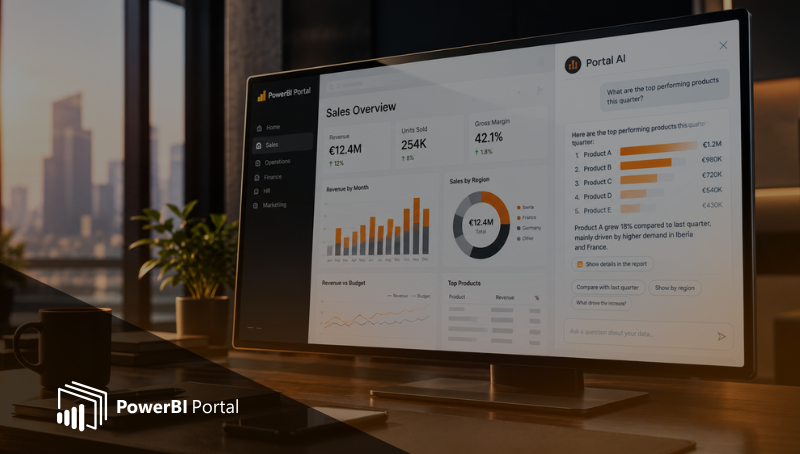
It offers a ready-to-use, white-labeled platform where you can deliver client-facing Power BI dashboards without writing code. With built-in authentication, role-based access, and capacity scaling, consultancies and enterprises can focus on delivering insights rather than managing infrastructure.
This means you can monetize access, add premium features, and generate recurring revenue — all while ensuring security and compliance are maintained.
Final Thoughts
Embedded analytics isn't just about embedding charts into a portal. It's about delivering the right insight, at the right time, in the right place. With Power BI Embedded — and an implementation platform like PowerBI Portal — organizations can scale analytics securely, cost-effectively, and with complete design flexibility.
If your team is exploring ways to make reporting more accessible, branded, and cost-efficient, embedded Power BI is worth a serious look.
👉 Schedule a demo today to see how PowerBI Portal can help you unlock business insights and transform reporting into a product.

Share this post: