

Understanding Power BI Capacities: Choosing the Right Model for Your Needs
 Alexandre Carreira··6 min read
When organizations scale their use of Power BI, one of the most important questions is which capacity model fits best. Microsoft offers several: Power BI Pro, Premium Per User (PPU), Power BI Embedded (A-SKUs), and Microsoft Fabric capacities (F-SKUs). Each model has its own strengths, pricing structure, and best-fit scenarios. Let's break them down with real-world examples.
Power BI Pro — Best for Individual Users and Small Teams
How it works
- Licensed per user ($10–$15/month).
- Users can create, publish, and share reports internally.
- External sharing requires recipients to also have Pro licenses.
When to use it
- Small businesses or startups.
- Internal collaboration with limited scale.
- Teams without advanced Premium feature needs.
Example: A small marketing agency with 12 employees uses Pro so each analyst can build and share campaign dashboards with colleagues. External sharing is not required.
Power BI Premium Per User (PPU) — Advanced Features Without Capacity
How it works
- Licensed per user (~$20/month).
- Includes almost all Premium features: larger datasets (100 GB), paginated reports, AI, incremental refresh, deployment pipelines.
- Still requires every consumer to have a PPU license.
- Runs on shared cloud resources (no dedicated capacity).
When to use it
- Mid-sized teams needing Premium features without buying Fabric capacity.
- Proof-of-concept or pilot projects with advanced datasets.
- Analytics teams with complex models but limited distribution needs.
Example: A pharmaceutical company equips 60 analysts with PPU so they can run large-scale clinical trial dashboards and paginated reports. Since only their internal team consumes the content, PPU is cheaper and simpler than a Fabric capacity.
Power BI Embedded (A-SKUs) — Flexible, Pay-As-You-Go
How it works
- Billed hourly via Azure (A1–A6 SKUs).
- Capacity can be turned on/off to reduce idle costs.
- Designed for embedding reports in apps, portals, or client-facing solutions.
- No Pro/PPU required for viewers.
When to use it
- Consultancies or SaaS providers sharing dashboards externally.
- Multi-client reporting portals with authentication and role-based access.
- Scenarios where cost flexibility is critical.
Example: A healthcare consultancy provides analytics to 50 hospitals. Instead of buying hundreds of PPU licenses, they run reports on Power BI Embedded A-SKUs and only pay when reports are being accessed.
Microsoft Fabric Capacities (F-SKUs) — Unified Data & Analytics Platform
How it works
- Enterprise-grade capacities for all Fabric workloads (Power BI, Data Factory, Synapse, Data Science, Real-Time Analytics, etc.).
- Billed monthly based on F-SKU size (F64, F128, etc.).
- Dedicated performance and advanced governance features.
When to use it
- Enterprises running end-to-end analytics across BI, data engineering, and AI.
- Organizations with large-scale data models and thousands of users.
- Businesses adopting Fabric as their unified analytics platform.
Example: A global retailer consolidates IoT sensor data, predictive modeling, and operational dashboards in a Fabric F128 capacity, supporting thousands of users with real-time insights across their stores.
Comparing the Models
| Capacity Type | Pricing | Best For | Key Limitation | Example Use Case |
| Power BI Pro | Per user | Small teams | Limited dataset size, no Premium features | Marketing agency with 12 staff |
| PPU | Per user | Mid-sized teams needing Premium | Every user must have PPU | Pharma company with 60 analysts |
| Power BI Embedded | Pay-as-you-go | External users, SaaS, consultancies | Requires setup for embedding | Healthcare consultancy serving hospitals |
| Fabric (F-SKUs) | Per capacity | Enterprises, unified analytics | Overkill for small teams | Retail chain with IoT + BI + AI |
Choosing the Right Model
The right Power BI capacity depends on your audience, usage patterns, and scale. For small internal teams, Pro is the simplest option. For mid-sized analytics teams, PPU unlocks advanced features affordably. For external sharing and multi-client solutions, Embedded is the most cost-effective. For enterprise-wide analytics modernization, Fabric provides the full unified platform.
Controlling Cost & Performance in Client-Facing Portals
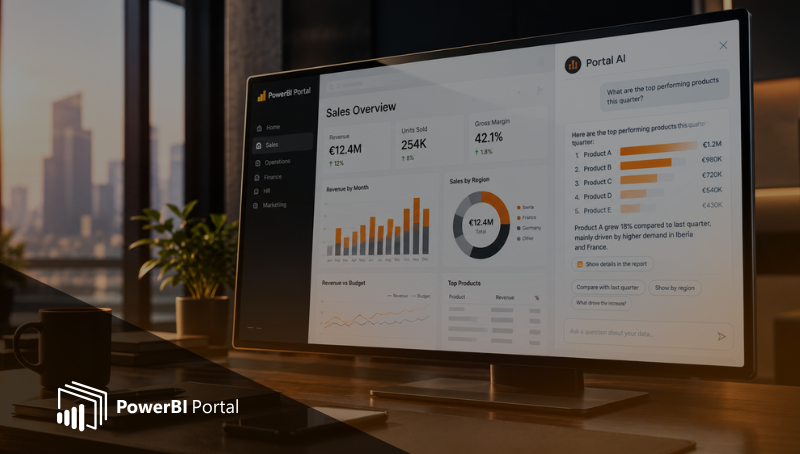
Once you've chosen a model, the next challenge is controlling what it costs in practice — especially with Embedded. When analytics move beyond internal teams into client-facing portals, capacity stops being just a licensing choice and becomes a cost and performance control mechanism. Unlike internal BI, client portals see uneven, unpredictable usage: intense activity some days, almost idle on others. Keeping a capacity permanently running at full scale means paying for unused resources. A portal layer like PowerBI Portal helps align resource usage with actual demand rather than theoretical peak.
Serve static reports instead of live dashboards
Not every stakeholder needs a live, interactive dashboard. Many just want daily KPI snapshots, weekly summaries, or monthly performance reports. Instead of opening live reports and consuming capacity, the portal can deliver static files (PDFs or exported reports) directly. The advantages: no capacity consumption during file access, faster load times, lower infrastructure costs, and simpler access for non-technical audiences. Combining static files with live dashboards reserves interactive analytics for users who truly need them.
Run Embedded capacity only when needed
One of the most powerful aspects of Embedded capacities is that they don't need to run 24/7. With proper governance you can enable capacity only during business hours, activate it on specific days, shut it down automatically when there's no activity, and scale up temporarily during known peak periods. This usage-based model ties capacity costs directly to real consumption — if no one is accessing live reports, capacity stays idle and costs stay under control.
Design portals that protect capacity usage
Portal design directly affects consumption. When users land straight on live reports, capacity is consumed immediately even if they only needed high-level information. A structured access model lets you guide users through summaries or static views first, restrict live report access to authorised roles, prevent unnecessary background refreshes, and centralise access across multiple clients and datasets — significantly reducing accidental or excessive capacity usage while still delivering a high-quality experience.
From cost risk to strategic asset
Power BI capacities deliver the most value when paired with a portal designed to manage consumption intelligently. By combining live dashboards with static reports, activating capacity only when needed, and structuring user access carefully, organizations can reduce costs dramatically without sacrificing insight or performance — turning capacity from a cost risk into a predictable, controllable strategic asset for client-facing analytics.
Book a demo today to see how PowerBI Portal helps you get the most out of Power BI capacities.ing costs across clients.
👉 Book a demo today to see how PowerBI Portal helps you get the most out of Power BI capacities.

Share this post: