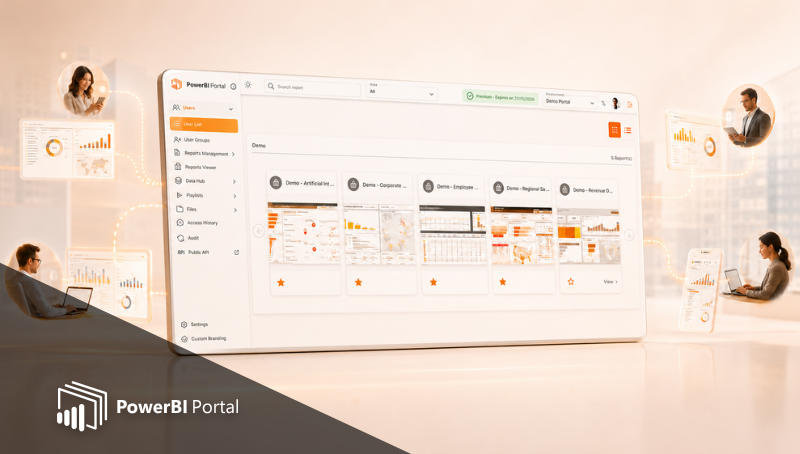
PowerBI Portal 1.1 is here and is packed with new features
Table of Contents
The first major revision of our latest product is now live, and there are plenty of features to get users excited. PowerBI Portal 1.1 introduces major additions to both the back and the front office to deliver a more customizable, accessible, and organized experience.
Here are all the new features you can find in PowerBI Portal 1.1:
In the back office:
- New feature "Groups". You can group multiple users that share the same permissions and customizations and save time when setting up the reports you want to share with them.
- New feature "Playlist" allows back Office Admins or Master Users to create a reports slideshow and give access to it to other users from the same registered tenant, so they can run and see that slideshow.
- Added an option to revert a report to its default configuration if it's overridden for a certain user.
- Added an option to automatically refresh reports in the Front Office according to the refresh rate set in the Back Office. Each report's refresh rate is set when editing it.
- Added font size and color customization to the Welcome Message in the Front Office.
- Added more information to the Help Center (Tenant Configuration and How to Use).
In the front office:
- Added Google and Facebook login authentication to the Front Office. Users can now use their Google or Facebook accounts to log into PowerBI Portal in addition to their Microsoft account or unique access code.
- Added a direct login option by Access Code to the Front Office by query parameters in the URL.
- Added an option to maximize and minimize reports.
- Added a Full Screen View option to reports.
- Added the Export to Excel or Print to PDF functions, which can be made available according to each user.
You just need to log into your account to start using all the features in PowerBI Portal 1.1.
If you haven't tried PowerBI Portal yet, we hope these new features are compelling enough for your organization to try it for free for 15 days. PowerBI Portal is a web tool that uses the Power BI Embedded service to allow organizations to share an unlimited number of reports and dashboards through a portal. Access to that portal can be given to any number of users, regardless of being in the same organization or even having a Power BI account. If you need help, our team can guide you through the setting up process. You can contact them through support@devscope.net.
Share this post: