




How to Share Power BI Reports Securely with Clients — Without Requiring Pro Licenses
 João Sousa··11 min read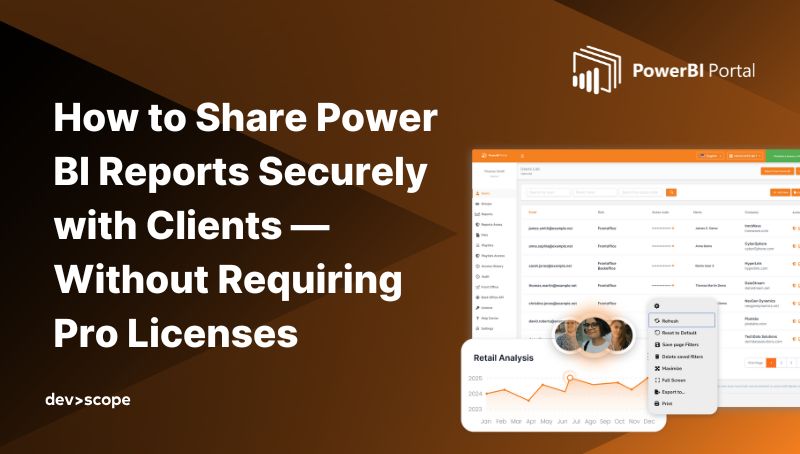
If you've ever tried to share a Power BI report with someone outside your organization, you've probably run into the same frustrating limitations: either they need a Power BI Pro license, or you have to use risky workarounds like "Publish to Web" that compromise security and control.
The truth is, sharing reports with clients or external partners shouldn't be this complicated. It should be secure, cost-effective, and easy to manage and thanks to Power BI Embedded and solutions like the PowerBI Portal, it can be. This guide covers why native sharing breaks down externally, where the breaking point is, the licensing models that actually scale, how to keep governance and performance under control, and when a portal-based approach is the right call.
Why Power BI Breaks Outside Your Organization
Power BI was built with internal collaboration in mind. Inside an organization it's excellent: governance, security, modelling, and collaboration all work smoothly. The problem starts when analytics need to be shared with clients, partners, suppliers, or other external stakeholders — because the assumptions Power BI relies on begin to break down.
Most teams discover the same set of issues when they attempt external sharing:
1. Licensing does not scale
Power BI's standard model assumes each report consumer is an internal user, so per-user licenses multiply as soon as reports are shared externally. Paying $10–$20/month per user makes little sense for clients or partners who just need to view a dashboard occasionally. What starts as a small pilot becomes a recurring cost problem.
2. Identity management becomes a burden
External sharing usually requires Azure Entra (formerly Azure AD) B2B guest users. While technically sound, this introduces operational complexity: guest lifecycle management, access reviews, and security drift over time. For consumers it's friction; for administrators it's overhead.
3. The Power BI Service UI is not client-friendly
The Power BI Service works well for analysts and internal teams. External users are often confused by workspaces, navigation complexity, and features they don't need — which leads to support tickets and poor adoption.
4. Governance weakens at scale
As external audiences grow and roles change, maintaining consistent access rules becomes difficult. The security is still there, but it becomes fragile. At small scale teams tolerate these issues; at larger scale, they compound.
The most common fallback — the "Publish to Web" option — only makes things worse: it generates a public link anyone can access, with no login, no security, and no tracking. It's convenient, but it's a data-governance nightmare.
External Analytics Is a Fundamentally Different Problem
External analytics is not "internal BI with more users". It has different requirements: you don't control the user environment, you can't assume BI literacy, you must minimise onboarding friction, costs must be predictable and centralised, and security must survive organizational change.
Most importantly, external users should feel like they are consuming a product, not accessing a BI tool. Power BI excels as a tool. External analytics requires a distribution layer.
Why 50 Viewers Is a Critical Threshold
Sharing Power BI with a handful of external users feels easy — a few invitations, a handful of permissions, and things appear to work. That early success is misleading, because friction doesn't grow linearly as the audience grows; it compounds. What works for 10 or 20 external viewers almost never works for 100, 500, or 2,000.
The tipping point lands at around 50 viewers, and it isn't accidental. At that scale, viewer churn increases, multiple external organizations are usually involved, usage patterns become unpredictable, and manual access management stops working. Teams that keep relying on native sharing past this point usually end up doing one of three things, none of which supports long-term adoption: they restrict access to control cost, they absorb rising operational overhead, or they fall back to exports and break real-time analytics.
You'll usually recognise the moment instinctively. The signals are familiar: "we can't give access to everyone who needs it", "every new client increases our licensing cost significantly", "managing guest users is becoming unmanageable", "support tickets are increasing despite good reports", or "people keep asking for exports instead of live dashboards". These aren't Power BI problems — they're distribution problems.
The Smart Alternative: Power BI Embedded + PowerBI Portal
Power BI Embedded changes the game by letting you embed Power BI reports into your own application or portal — and manage access using your own authentication system. You only pay for the capacity you use, not per user, which is far more scalable when serving dozens or hundreds of external viewers.
But even with Power BI Embedded, there's still work to be done: managing user permissions, designing the interface, and integrating the whole experience with your brand. That's where the PowerBI Portal comes in.
The PowerBI Portal is a white-labeled web platform that lets you publish, organise, and share Power BI reports with external users — securely and without requiring them to have any Power BI license at all. Built on top of Power BI Embedded, it gives you full control over who sees what, when, and how. It introduces a clean separation between analytics creation (Power BI / Fabric) and analytics consumption (external users): reports stay in your workspaces, users authenticate to the portal rather than to powerbi.com, and Row-Level Security is enforced exactly as defined in the dataset.
How it works
You connect your Power BI reports to the portal via a secure, embedded connection. Then you define user groups, access rules, and content categories. Each client or partner logs in with their own credentials and sees only the reports you've made available to them — all in a fully branded, customizable environment that feels like an extension of your own platform.
Because PowerBI Portal uses Power BI Embedded, it benefits from dynamic capacity control: you scale up or down depending on usage, and when no one is viewing reports you're not consuming capacity. This can lead to substantial savings compared to fixed per-user licensing.
Licensing Models That Actually Scale for External Clients
Requiring every client to buy a Power BI Pro license is rarely the most scalable solution. Pro licensing works well for internal collaboration, but for external delivery it creates high per-user costs, administrative overhead managing guests in Entra ID, friction in sales conversations, and dependency on the client's own IT. The alternative is to stop licensing people and start licensing capacity.
With Power BI Embedded you integrate dashboards and reports directly into a custom application, client portal, or website. Instead of licensing each external user, you license capacity and manage access centrally through a master account or Service Principal. No Pro licenses are required, you keep full control over who sees what, reports appear natively in your own software, and you scale as your client list grows. This is especially powerful for consultancies delivering analytics as a service. (For a deeper comparison of Embedded versus Microsoft Fabric capacities, and which SKUs fit which scenario, see our dedicated guide on giving clients Power BI access without Pro licenses on Fabric.)
The key is choosing a licensing model aligned with scale, not defaulting to per-user Pro licenses for everyone.
Internal Sharing vs External Client Access
Treating external sharing as a dedicated design area — rather than an extension of internal sharing — is what lets you build a repeatable, scalable model. The two are genuinely different:
| Feature | Internal Sharing | External Client Access |
| Identity | Enterprise Azure AD | B2B guest users / external identities |
| Governance | Centrally managed | Multi-tenant isolation required |
| Licensing | Pro / PPU / per user | Capacity-based (Embedded / Fabric) |
| Scale | Predictable | Variable (concurrent bursts) |
Real Security — Not Just a Link
With PowerBI Portal you get true enterprise security, not a workaround:
- Authentication: external users log in through a secure identity provider.
- Authorization: you decide exactly which reports each user or group can access.
- Row-Level Security: restrict the data shown based on user context.
- Audit & tracking: monitor who accessed which reports and when.
External sharing is a business risk-management decision, not just a technical configuration. Done badly, it leads to accidental data exposure, compliance violations (GDPR, HIPAA), loss of client trust, and reputational damage — and most incidents start from simple operational mistakes like the wrong share link or misconfigured permissions.
Row-Level Security: the foundation
RLS restricts data visibility based on user roles or attributes. Implemented correctly, it ensures each client only sees their own data within a shared report, datasets stay secure across multiple tenants, and sensitive information is never exposed to competitors. This is especially critical when several external clients access the same report. RLS alone isn't enough, though — it must be combined with strong identity and access management and, for programmatic access, Service Principal authentication. With a portal, you keep governance where it belongs: define RLS once, assign users and groups to roles centrally, and deliver a two-layer model (portal access control plus Power BI RLS) where users only ever see what their role permits.
Managing external users and access controls
Structured management of external users — through Entra ID B2B guest access or a dedicated portal — keeps permissions aligned with business needs over time:
| Control measure | Primary benefit | Status |
| Least-privilege permissions | Reduces attack surface by limiting user actions | Critical |
| Regular access reviews | Ensures former clients or employees lose access | Mandatory |
| Workspace isolation | Prevents unauthorized browsing of internal datasets | Recommended |
| Portal-based access | Provides a branded, controlled entry point | Best practice |
Balancing Security and Performance
External users introduce unpredictable usage patterns. When multiple clients log in simultaneously, capacity usage can spike and affect performance for everyone. A report that is secure but fails to load is still a failure in the client's eyes. To keep both security and reliability, you should monitor capacity and usage in real time, identify resource-heavy reports and optimise their DAX queries, control concurrency to prevent timeouts, and decide whether Power BI Embedded or Fabric capacities best fit your portal. Knowing how to scale Power BI Embedded without performance issues is a core skill for client-facing analytics.
Automation in the Sharing Lifecycle
As the volume of reports and clients grows, manual sharing becomes unsustainable. For clients who don't need a live interactive dashboard every second, automated distribution can bypass the need for Pro licenses entirely — delivering report snapshots (PDF, Excel, or image) straight to client inboxes, SharePoint, or FTP. A dedicated automation layer like PowerBI Robots helps teams move from days to hours when preparing monthly client reporting, with Service Principal authentication keeping the setup secure and license-efficient.
When Does This Make Sense?
You're a strong fit for capacity-based, portal distribution if any of these are true:
- You share analytics with external users (clients, partners, suppliers).
- Viewer count grows over time or fluctuates often.
- You want predictable costs that don't rise linearly with users.
- Managing guest accounts has become operationally heavy.
- You need a controlled, branded experience rather than the Power BI UI.
- You must enforce RLS for different external audiences.
- Analytics are part of a commercial offering or client deliverable.
If your analytics program has reached the point where distribution is the constraint — not reporting — this is exactly the kind of model that removes friction.
From Dashboards to Analytics Products
Most organizations start with Power BI thinking the hardest part is building great reports. Eventually they realise the hardest part is getting those reports to the right people, with the right access, at a sustainable cost. Per-user licensing and guest identity management can work for small audiences, but for real external delivery they're the two things that most commonly prevent scaling.
A portal-based distribution layer changes the default outcome: it replaces per-viewer licensing with capacity economics, reduces identity and access overhead, keeps governance anchored in RLS and role-based control, and enables truly scalable external analytics. This isn't about replacing Power BI — it's about letting Power BI do what it does best, while a portal handles what it was never meant to solve.
Want to See It in Action?
We'd be happy to show you how it works.
👉 Schedule a demo to explore how you can start sharing Power BI reports securely — and more affordably — today.

Share this post: